Projects and People
Review a search as a project, inspect the evidence behind each person, and revisit people across the workspace.
Reviewed 2026-08-25
A Project is one search and its result set. People is the workspace-level view that helps you return to people found across that work.
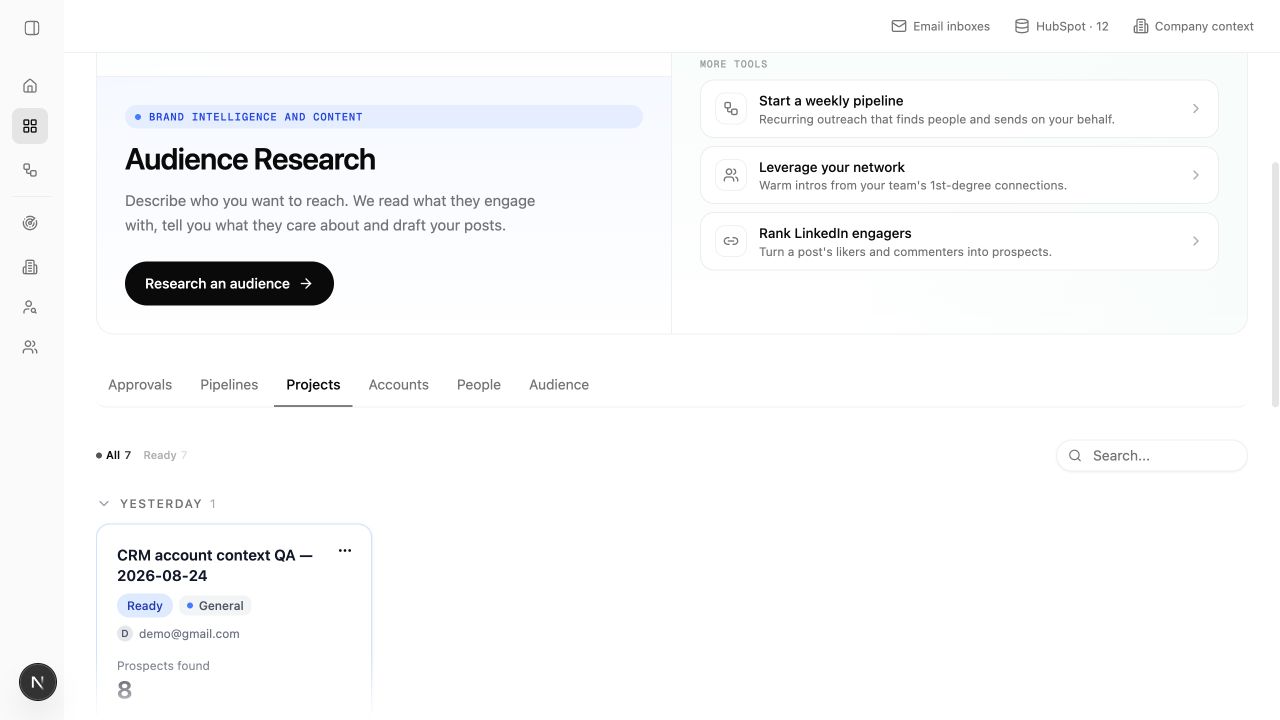
Review a project
Start broad, then inspect the evidence behind the rank.
- Check the project name and persona to confirm you opened the intended run.
- Scan the fit labels to see how many strong and weak matches you have.
- Filter or sort to create a manageable review set.
- Open a person to review requirements, research, and source activity.
- Approve or reject based on whether the evidence supports your search goal.
Fit labels
Lumnis presents fit as four word labels:
- Excellent Fit — the best match based on the available evidence.
- Good Fit — a credible match that deserves review.
- Partial Fit — some evidence is useful, but important requirements are weak or incomplete.
- Low Fit — the current evidence does not support prioritizing the person.
The label is a starting point, not a substitute for the detail view. Open the person when a judgment will affect action.
Follow the evidence
Useful evidence should answer three questions:
- What happened?
- When did it happen?
- Why is it relevant to this persona and search?
Open the linked source instead of relying on a summary alone. Research pages show dates because even a correct fact can become outdated.
Projects versus People
Use Projects when you care about the search that produced a list, its requirements, or actions for those results.
Use People when you care about the person across the workspace. This is the better place to return to a known contact without remembering which project found them first.
Next actions
From a Project, you can keep reviewing, add more people, or prepare a campaign from selected results. Use Pipelines and Approvals when you want the search to run each week.
A familiar title at a recognizable company can still be the wrong person. The strongest review checks why the person's role fits and which source supports that judgment.